
Last updated: 5 August 2026
Hardcoding an exchange rate into a Python app breaks the moment the market moves. This guide shows how to fetch live rates from CurrencyFreaks with Python instead, so your app's conversions stay current without manual updates. We'll cover the requests library, error handling, and historical data lookups, with full working code throughout.
Why Use A Python Currency Converter API
Automate Conversions
An API removes the need to manually track and update rates in your code. Instead, your app requests the latest rate from CurrencyFreaks each time it needs one, so conversions stay accurate as rates change.
Integrate Real-Time Rates
In financial applications, a second's delay in updating exchange rate data can cause significant loss. CurrencyFreaks reduces risk by providing real-time market access. It also keeps applications up to date and trustworthy.
Enable Historical Analysis And Trend Forecasting
A business cannot make decisions solely on current information. Historical foreign exchange rates are equally important to know. The API provides data from years back. This helps prepare financial reports and develop future trading models.
Support Multiple Currency Types
Reliance on one currency is not possible for international businesses. CurrencyFreaks fulfills this need by providing a free plan for 1000+ world currencies. This broad coverage allows for the development of diverse currency converters.
Key Features Of CurrencyFreaks Python Currency Converter API
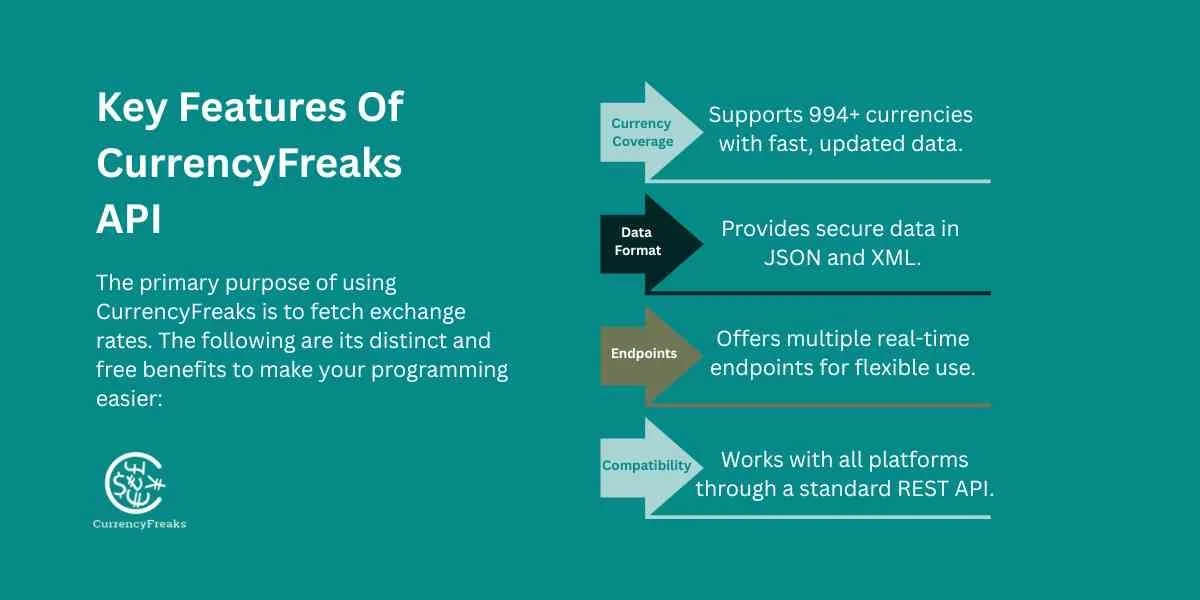
The primary purpose of using CurrencyFreaks is to fetch exchange rates. The following are its distinct and free benefits to make your programming easier:
Extensive Currency Coverage And Updates
This API provides comprehensive coverage of data for 1000+ other currencies. This wider accessibility ensures fast responses with always fresh currency conversion API data.
Data Formats And Security
It always provides data in JSON and XML. However, modern developers rely on JSON because it's readable and straightforward. It always transfers data over SSL security, so your code stays safe.
Multiple Customizable Endpoints
Due to developers' changing coding needs, it supports multiple endpoints. Each one is connected with real-time data resources. Using an accurate currency code can provide quick access to all required information.
Broad Compatibility
The biggest benefit is that its standard REST API connects with multiple platforms. So you can perform the tasks in any program, rather than being limited to Python.
Popular Python API Endpoints
CurrencyFreaks API provides various endpoints. The following are the most common ways to get accurate data:
Latest Currency Rates
This endpoint returns the latest exchange rates for your base currency. In free plans, you can keep USD as your base currency only. However, premium versions allow you to add the preferred one.
Currency Conversion Endpoint
This endpoint automatically converts one currency into another. How does it work? You send a request to the currency exchange API by specifying the amount and currency you want to convert.
Historical Exchange Rates
It provides you with historical exchange rates for the base currency. You need to pass the date parameter, and the API returns the rates for that time.
Time Series Endpoint
This endpoint is available only on the Professional plan or above. It helps to analyze currency data trends over a specific week or month.
Fluctuation Endpoint
If you want to know market trends and volatility for a specific currency, this endpoint works for it. It provides the starting and ending rates for the target currency over the selected period, along with the total change and percentage change during that time.
IP To Currency Endpoint
It is helpful for e-commerce website developers. How? It tracks the user's IP address and automatically displays exchange rate data in the local currency.
How to Use CurrencyFreaks API In Python
Step 1: Get Your API Key
First, visit the CurrencyFreaks website and get your API key during sign-up. This key is private to make your access secure, so don't share it with others.
Step 2: Install And Import
If you don't have the requests library, install it first:
pip install requests
Then import it and load your API key from an environment variable. Never hardcode credentials directly in source files - if the file ends up in version control, the key is exposed:
import os
import requests

API_KEY = os.environ.get("CURRENCYFREAKS_API_KEY")
BASE_URL = "https://api.currencyfreaks.com/v2.0"
Set the environment variable in your shell before running:
export CURRENCYFREAKS_API_KEY="your_api_key_here"
Step 3: Fetch Latest Exchange Rates
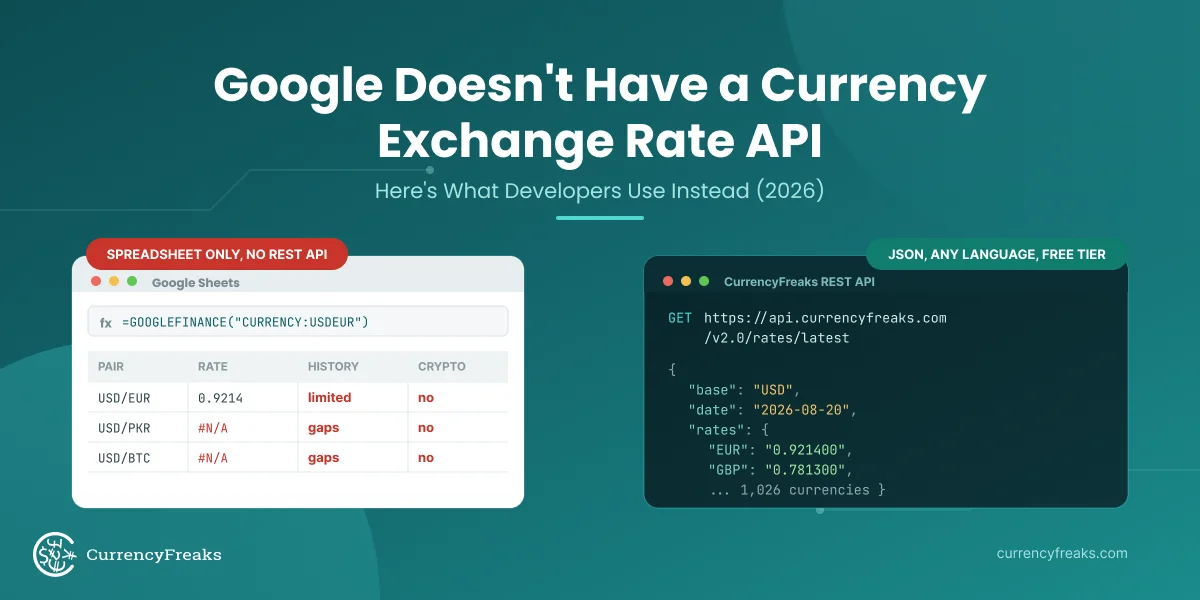
Available on all plans, including free. Returns all supported currencies with USD as the default base. Use the symbols parameter to filter to only the currencies you need.
import os
import requests

API_KEY = os.environ.get("CURRENCYFREAKS_API_KEY")
BASE_URL = "https://api.currencyfreaks.com/v2.0"

response = requests.get(f"{BASE_URL}/rates/latest", params={
    "apikey":  API_KEY,
    "symbols": "EUR,GBP,JPY,PKR,CAD",
})

if response.status_code == 200:
    data = response.json()
    print(f"Rates on {data['date']} (base: {data['base']})")
    for code, rate in data["rates"].items():
        print(f"  1 {data['base']} = {float(rate):.4f} {code}")
else:
    print(f"Error {response.status_code}: {response.json().get('error', 'Unknown error')}")
Step 4: Currency Conversion
Available on all paid plans. Converts a specific amount directly from one currency to another in a single call.
response = requests.get(f"{BASE_URL}/convert/latest", params={
    "apikey":  API_KEY,
    "from":    "USD",
    "to":      "EUR",
    "amount":  500,
})

if response.status_code == 200:
    data = response.json()
    print(f"{data['givenAmount']} {data['from']} = {data['convertedAmount']} {data['to']}")
    print(f"Rate used: {data['rate']}")
    print(f"Date: {data['date']}")
else:
    print(f"Error {response.status_code}: {response.json()}")
Sample output:
500.0 USD = 460.50 EUR
Rate used: 0.9210
Date: 2026-08-20 14:00:00+00
Step 5: Historical Exchange Rates
Available on all paid plans. Pass any date back to 1984 in YYYY-MM-DD format to retrieve the rates that were live on that day.
response = requests.get(f"{BASE_URL}/rates/historical", params={
    "apikey":  API_KEY,
    "date":    "2026-08-20",
    "symbols": "EUR,GBP,JPY",
})

if response.status_code == 200:
    data = response.json()
    print(f"Historical rates on {data['date']} (base: {data['base']})")
    for code, rate in data["rates"].items():
        print(f"  1 USD = {rate} {code}")
else:
    print(f"Error {response.status_code}: {response.json()}")
Step 6: Fluctuation Data
Available on Professional plan and above. Returns the start rate, end rate, absolute change, and percentage change for each currency over a date range - useful for volatility analysis and market reports.
response = requests.get(f"{BASE_URL}/fluctuation", params={
    "apikey":    API_KEY,
    "startDate": "2026-08-01",
    "endDate":   "2026-08-31",
    "base":      "USD",
    "symbols":   "EUR,GBP,PKR",
})

if response.status_code == 200:
    data = response.json()
    print(f"Fluctuation {data['startDate']} → {data['endDate']} (base: {data['base']})")
    for code, stats in data["rateFluctuations"].items():
        print(f"\n  {code}")
        print(f"    Start:   {stats['startRate']}")
        print(f"    End:     {stats['endRate']}")
        print(f"    Change:  {stats['change']}")
        print(f"    Change%: {stats['percentChange']}%")
else:
    print(f"Error {response.status_code}: {response.json()}")
Step 7: Time Series
Available on Professional plan and above. Returns the daily rate for each currency across a date range - ideal for charting and trend analysis.
response = requests.get(f"{BASE_URL}/timeseries", params={
    "apikey":    API_KEY,
    "startDate": "2026-08-01",
    "endDate":   "2026-08-07",
    "base":      "USD",
    "symbols":   "EUR,GBP",
})

if response.status_code == 200:
    data = response.json()
    print(f"Time series {data['startDate']} → {data['endDate']} (base: {data['base']})")
    for entry in data["historicalRatesList"]:
        rates_str = ", ".join(f"{k}: {v}" for k, v in entry["rates"].items())
        print(f"  {entry['date']}: {rates_str}")
else:
    print(f"Error {response.status_code}: {response.json()}")
Step 8: IP to Currency
Available on Growth plan and above. Detects the visitor's country from their IP address and returns the corresponding local currency along with the converted amount. If no IP is passed, the API uses the caller's own IP automatically.
response = requests.get(f"{BASE_URL}/iptocurrency", params={
    "apikey": API_KEY,
    "from":   "USD",
    "amount": 100,
    # "ip": "212.58.244.18"  # optional: pass a specific IP to simulate a visitor
})

if response.status_code == 200:
    data = response.json()
    print(f"Visitor IP:       {data['ipAddress']}")
    print(f"Detected currency: {data['to']}")
    print(f"Rate:             1 {data['from']} = {data['rate']} {data['to']}")
    print(f"Converted:        {data['givenAmount']} {data['from']} = {data['convertedAmount']} {data['to']}")
else:
    print(f"Error {response.status_code}: {response.json()}")
Step 9: Error Handling
A robust integration handles network failures, rate limits, and bad API keys without crashing. This wrapper retries on 429 with exponential back-off and raises descriptive errors for all other failure cases.
import os
import time
import requests

API_KEY = os.environ.get("CURRENCYFREAKS_API_KEY")
BASE_URL = "https://api.currencyfreaks.com/v2.0"

def fetch_rates(symbols: str, retries: int = 3) -> dict:
    for attempt in range(retries):
        try:
            response = requests.get(
                f"{BASE_URL}/rates/latest",
                params={"apikey": API_KEY, "symbols": symbols},
                timeout=10,
            )
            if response.status_code == 200:
                return response.json()
            elif response.status_code == 401:
                raise ValueError("Invalid API key - check CURRENCYFREAKS_API_KEY")
            elif response.status_code == 429:
                wait = 2 ** attempt
                print(f"Rate limit hit. Retrying in {wait}s…")
                time.sleep(wait)
            elif response.status_code == 404:
                raise ValueError("Endpoint not found or currency code not supported")
            else:
                response.raise_for_status()
        except requests.exceptions.Timeout:
            print(f"Request timed out (attempt {attempt + 1}/{retries})")
        except requests.exceptions.ConnectionError:
            print(f"Connection error (attempt {attempt + 1}/{retries})")
    raise RuntimeError(f"Request failed after {retries} attempts")

if __name__ == "__main__":
    try:
        data = fetch_rates("EUR,GBP,JPY")
        for code, rate in data["rates"].items():
            print(f"1 USD = {rate} {code}")
    except (ValueError, RuntimeError) as e:
        print(f"Error: {e}")
Use Cases For Developers
A dependable API provides a gateway to develop multiple apps for users. It helps developers in the following way:
-
Real-Time Currency Conversion Apps: You can design a mobile currency converter app or a website.
-
Forex Trading Platforms: They connect to real-time data with fewer price update errors, which makes the currency converter more dependable.
-
Financial Dashboards and Reporting Tools: APIs' historical data helps create accurate reports for these tools.
-
E-commerce Apps: Developers can reach international shoppers by displaying prices in multiple currencies. The current converter currency rates help customers to buy according to their budgets.
-
Crypto and Metal Integration: A smooth integration of the API provides current trading rates for currency converter apps.
Tips For Getting Started
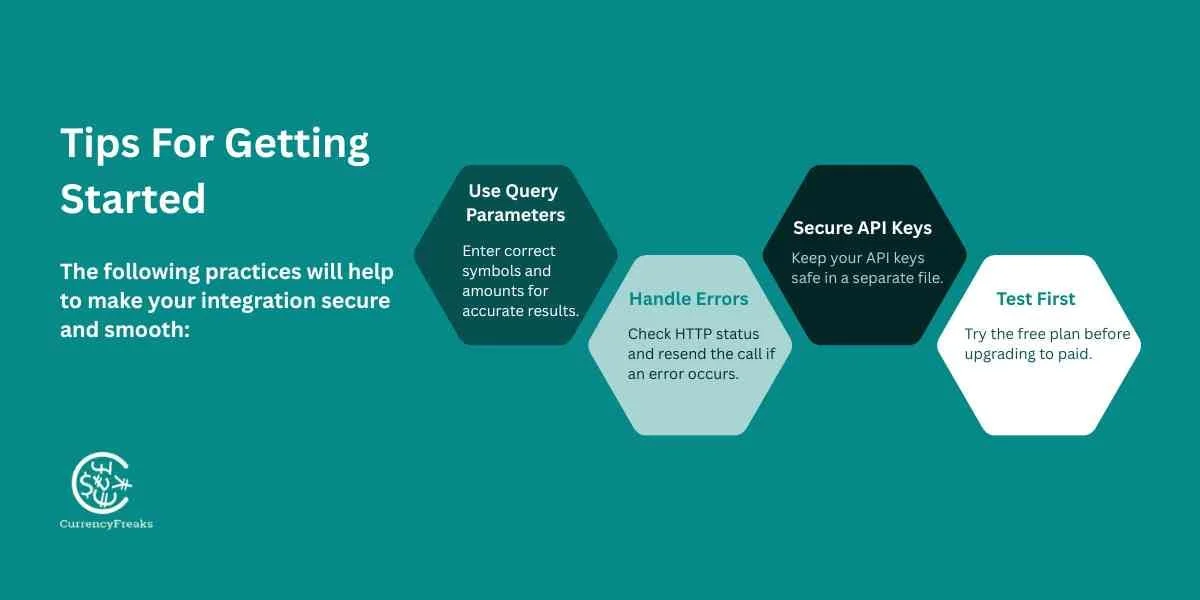
The following practices will help to make your integration secure and smooth:
Use Query Parameters
Always enter the correct symbols of the target currency and the conversion amount. It ensures faster and relevant responses.
Handle Rate Limits And HTTP Errors Gracefully
Before collecting data from JSON, always check the HTTP status. Its correction is necessary to save the program from crashing. If there is an error then resend your call.
Always Store API Keys Securely
Your API key is for personal use only. Showing it inside the code can cause security risks. You should create a separate file to securely store the API keys.
Test With Free Plan Before Upgrading
Never start from a paid plan. First, test your implementation thoroughly with a free plan, then proceed to upgrade.
Python Currency Converter API: Conclusion
The demand for real-time currency data never goes out of trend. A trusted Python Currency Converter API enables apps to meet users' needs efficiently. It reduces the risk of errors and provides accurate data quickly. These current exchange rates help in making safe decisions for the future.
CurrencyFreaks offers a reliable API with a smooth integration process. It provides speed with global currency coverage. The manual changes are outdated methods. Modernize and update your apps with professional API integration today.
Other language guides
- Django: cache rates, expose them through DRF, refresh with Celery
- PHP and Laravel: a service class with caching and a scheduled Artisan command
- Node.js: an Express converter with Axios
- Ruby on Rails: HTTParty, a service object, Rails caching and background jobs
Python Currency Converter API: FAQs
What Is The Free Plan Rate Limit?
Rates are updated daily on the free plan. The monthly limit is 1,000 API calls - enough to build and test a full integration. Paid plans raise the call limit, unlock all base currencies, and give access to historical data, fluctuation, and time series endpoints.
Can I Change The Base Currency On The Free Plan?
No, the free Developer plan only has the US Dollar (USD) as the base currency. If you want to change it, subscribe to any paid plan.
Does The API Support Cryptocurrencies And Metals?
Yes, it supports 1000+ world currencies. This coverage provides data about all major cryptocurrencies and trading metals. You get the desired converted amount easily.
How Secure Are My API Requests?
CurrencyFreaks protects all API requests, across free and paid plans, with SSL encryption (HTTPS). It means your data transfers without the risk of unauthorized access.
If you use PHP or Laravel, see the Laravel currency API integration guide for the same patterns adapted to that stack. Switching from Fixer.io? The Fixer to CurrencyFreaks migration guide covers endpoint mapping and key differences.
Sign up for your free API key today and start converting currencies in Python with real-time rates.