
Picture a freelance team spread across five continents, billing project budgets in different currencies. Rates shift throughout the day, and by the time an invoice goes out, the numbers behind it may already be stale.
Gemini reasons well, but it has no live connection to currency markets - without fresh data, it works from whatever it learned during training. That gap can turn into a costly error the moment it shows up in a financial report.
This guide closes that gap: you'll integrate the CurrencyFreaks API with Google Gemini so it can pull real exchange rates instead of guessing from memory.
By the end, you'll have a working Python implementation - a small Flask server plus the steps to connect it to Gemini - ready to drop into a SaaS product or fintech workflow.
What Is A Global Exchange Rates API?
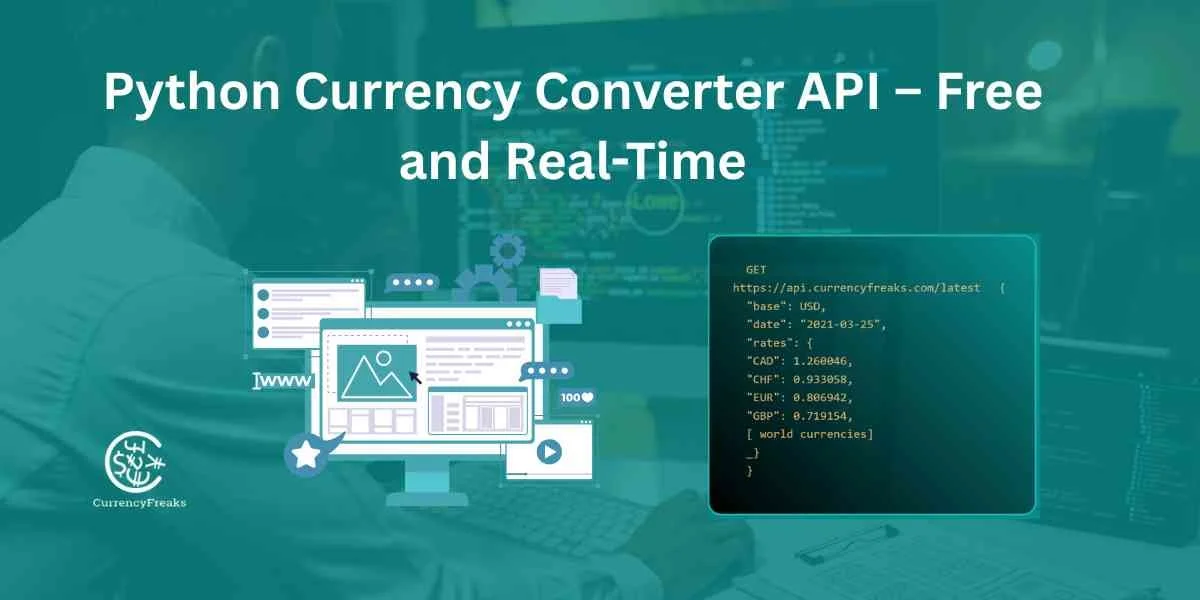
A global exchange rates API gives you programmatic access to current currency values, instead of a web page you'd otherwise refresh by hand. You send a request; the server returns structured data - typically the value of one currency expressed in another.
Providers like CurrencyFreaks pull this data from commercial forex feeds, central banks, and crypto exchanges, then normalize it into one consistent format. That means accurate rates without maintaining your own scrapers or data pipeline.
Types Of Global Exchange Rates API
Different endpoints solve different problems, so it's worth knowing what's available before picking a plan:
Latest Rates API: Returns the current exchange value for a currency pair.
Historical Rates API: Returns rates for a specific past date - useful for audits and backdated reporting.
Currency Conversion API: Converts a specific amount from one currency to another in a single call.
Time Series API: Returns daily historical rates between two dates for trend analysis.
Fluctuation API: Shows how much a currency changed in percentage and margin over a period.
Helpful Resource: Analyze Currency Volatility With A Foreign Exchange Rates API: Fluctuation Endpoint Guide
Why Do You Integrate A Global Exchange Rates API Into Gemini?
Gemini reasons well, but it isn't connected to live markets - it can't know today's rate on its own. That gap matters most when a decision touches pricing, reporting, or budgeting.
Feeding it live data grounds its answers in the actual current rate instead of an assumption based on training data - a real difference for any team handling payments across regions.
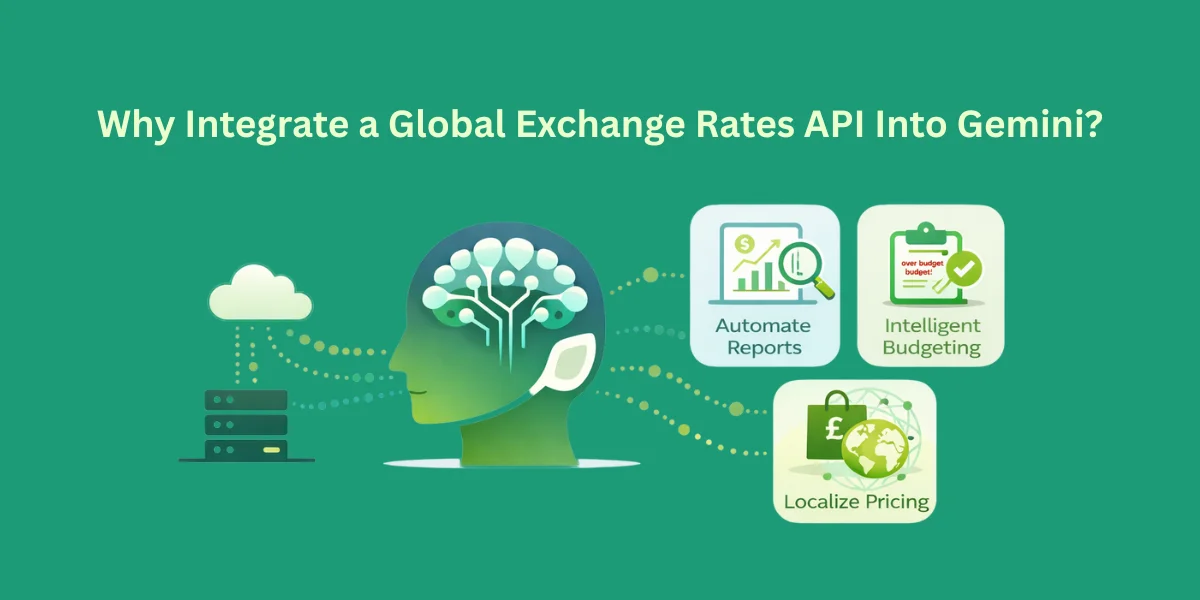
Connecting CurrencyFreaks to Gemini lets it:
Automate Reports: Generate monthly financial summaries with accurate, current conversions.
Intelligent Budgeting: Flag budget overruns by comparing planned costs against current exchange rates.
Localize Pricing: Suggest region-specific pricing based on current rates.
What Are The Top Ways To Integrate Global Exchange Rates Within Gemini?
There are two practical ways to give Gemini access to exchange rate data. Which one fits depends on how much control you need.
Context Injection (RAG)
A script fetches the current rate and drops it straight into the prompt. Simple, and enough for one-off questions - like asking Gemini to compare EUR and USD.
Function Calling
The more capable approach: register the CurrencyFreaks endpoint as a callable function. Gemini decides on its own when it needs a rate and calls the function directly, instead of you pre-fetching anything.
Helpful Resource: How to Choose the Right API for Currency Exchange: Key Factors
How Do You Integrate A Global Exchange Rates API Into Gemini
Goal:
User asks Gemini a question like:
“Convert 500 USD to PKR”
OR
“What’s the current USD to EUR rate?”
…and Gemini fetches the data from CurrencyFreaks API and replies naturally.
Step 1: Get Your API Key
-
Sign up at CurrencyFreaks.
-
Go to your dashboard → copy your API key.
-
Keep it private. Never expose it on the front-end.
Step 2: Decide Your Endpoints
CurrencyFreaks has multiple endpoints. For beginners, focus on:
- Latest Rates
GET https://api.currencyfreaks.com/v2.0/rates/latest?apikey=YOUR_APIKEY
Optional: add symbols to get specific currencies:
&symbols=USD,EUR,PKR
- Conversion Endpoint (paid plans required)
GET https://api.currencyfreaks.com/v2.0/convert/latest?apikey=YOUR_APIKEY&from=USD&to=PKR&amount=500
Step 3: Set Up a Middleware Server
Since Gemini cannot directly call your API, you’ll create a Python Flask server as a bridge.
- Install Python packages:
pip install flask requests
- Create a file called currency_server.py:
from flask import Flask, request, jsonify
import requests

app = Flask(__name__)

API_KEY = "YOUR_API_KEY"  # Replace with your actual API key

@app.route("/rate", methods=["GET"])
def get_rate():
    # Get query parameters
    base = request.args.get("base", "USD")
    target = request.args.get("target", "EUR")

    url = f"https://api.currencyfreaks.com/v2.0/rates/latest?apikey={API_KEY}&symbols={target}"

    response = requests.get(url)
    data = response.json()

    if "rates" in data and target in data["rates"]:
        rate = data["rates"][target]
        return jsonify({
            "success": True,
            "message": f"1 {base} = {rate} {target}",
            "rate": rate
        })
    else:
        return jsonify({
            "success": False,
            "message": "Could not fetch the rate."
        })

@app.route("/convert", methods=["GET"])
def convert_amount():
    from_currency = request.args.get("from", "USD")
    to_currency = request.args.get("to", "PKR")
    amount = request.args.get("amount", 1)

    url = f"https://api.currencyfreaks.com/v2.0/convert/latest?apikey={API_KEY}&from={from_currency}&to={to_currency}&amount={amount}"

    response = requests.get(url)
    data = response.json()

    if "convertedAmount" in data:
        return jsonify({
            "success": True,
            "message": f"{amount} {from_currency} = {data['convertedAmount']} {to_currency}",
            "convertedAmount": data['convertedAmount']
        })
    else:
        return jsonify({
            "success": False,
            "message": "Could not convert the amount."
        })

if __name__ == "__main__":
    app.run(port=5000)
Step 4: Test Your Server
Run the server:
python currency_server.py
Test in your browser web page or Postman:
- Get rate:
http://127.0.0.1:5000/rate?base=USD&target=PKR
- Convert amount:
http://127.0.0.1:5000/convert?from=USD&to=PKR&amount=500
Expected JSON response:
{
  "success": true,
  "message": "500 USD = 140841.475 PKR",
  "convertedAmount": 140841.475
}
Step 5: Make It Accessible to Gemini
If you want Gemini (or a cloud chatbot) to access it, localhost won’t work. Use ngrok:
ngrok http 5000
You’ll get a public HTTPS URL like:
https://abcd1234.ngrok.io
Note: Download ngrok if you do not have the latest version.
Gemini can now query:
https://abcd1234.ngrok.io/rate?base=USD&target=PKR
https://abcd1234.ngrok.io/convert?from=USD&to=PKR&amount=500
Step 6: Connect Gemini (Chatbot)
-
When using Gemini via Google Cloud AI, create a designed custom tool/plugin.
-
Configure it to call your public endpoints.
-
Gemini parses the JSON response and replies naturally.
Example:
-
User: “Convert 500 USD to PKR”
-
Gemini → Calls
https://abcd1234.ngrok.io/convert?from=USD&to=PKR&amount=500 -
Server returns JSON
-
Gemini replies: "500 USD = 140841.475 PKR"
Best Practices
To keep your integration efficient, follow these industry standards. I have summarized them in the table below.
Integration Standards Table
| Feature | Best Practice | Why It Matters |
|---|---|---|
| Security | Use .env files for keys | Keeps the key out of client code and public repos. |
| Optimization | Use the symbols parameter to request only the currencies you need | Reduces payload size and Gemini token costs. |
| Latency | Let CurrencyFreaks route to the nearest region automatically | Keeps response times low without extra setup on your end. |
| Accuracy | Check the date field | Ensures Gemini isn't analyzing stale data. |
Error Handling
Don't let a dropped connection crash your app or silently return bad numbers. Handle HTTP errors explicitly, especially at scale, where a bad rate could feed straight into a financial calculation.
CurrencyFreaks returns clear status codes - log them:
-
429 means you've hit your plan's request limit.
-
401 means your API key is missing, invalid, or inactive - the request fails until it's fixed.
Wrap calls in a try/except block. If the API fails, send Gemini a fallback message instead of letting it guess a number.
TL;DR: Bridging The Gemini Knowledge Gap.
The problem: Gemini's training data has a cutoff, so it can't see today's currency markets.
The fix: Feed it live rates from the CurrencyFreaks API instead of letting it guess.
The setup: A small Flask server calls CurrencyFreaks, and ngrok exposes it so Gemini can reach it.
The payoff: Fewer hallucinated numbers, and answers grounded in the actual current rate.
Conclusion
With live exchange rate data behind it, Gemini stops guessing and starts reasoning from current numbers - the difference between a general assistant and one you can trust with financial workflows.
Start with the endpoints you actually need, and handle errors carefully so responses stay consistent and your API key never reaches the client.
Try it first with the free currency converter API to build and test a prototype, then scale up as your team or use case grows.
Once the basics work, you can go further: have Gemini reason about hedging timing, flag the best moment to pay a supplier or move funds across borders, or pair rates with news context to explain why a currency moved.
FAQs
Is The CurrencyFreaks API Free To Use?
Yes, it has a Developer plan. The free API calls are 1,000 each month. Access to global foreign exchange rates is not based on using any credit card.
Can I Get Data In XML Format?
Yes. Add &format=xml to the request URL. JSON is the default and simpler for Gemini to parse.
Which Currencies Are Supported?
Over 500, including fiat currencies, crypto like BTC, and metals like gold.
How Fast Is The API Response?
Typically 20-40ms, helped by geolocation-based routing - fast enough for real-time updates on a live site.
Do I Need To Use SSL?
Yes - every endpoint, on free and paid plans alike, is HTTPS only, so data stays encrypted in transit.
Can I Change The Base Currency?
Yes, on paid plans. Any supported currency can serve as the base, which is useful for regional reporting.
How Do I Prevent API Key Exposure?
Keep keys out of client-side code and always call the API from your backend.
Does It Provide Historical Data?
Yes, rates go back to 1984, so you can pull long-term trends or build datasets.
What Happens If I Reach My Request Limit?
You'll get a 429 error. Paid users also get a usage alert by email before they hit the ceiling.
Is There Support For Time Series?
Yes, on higher-tier plans - useful for range-based charts and forecasting.
Sign up for a free API key and build your first AI-powered currency tool.