Introduction
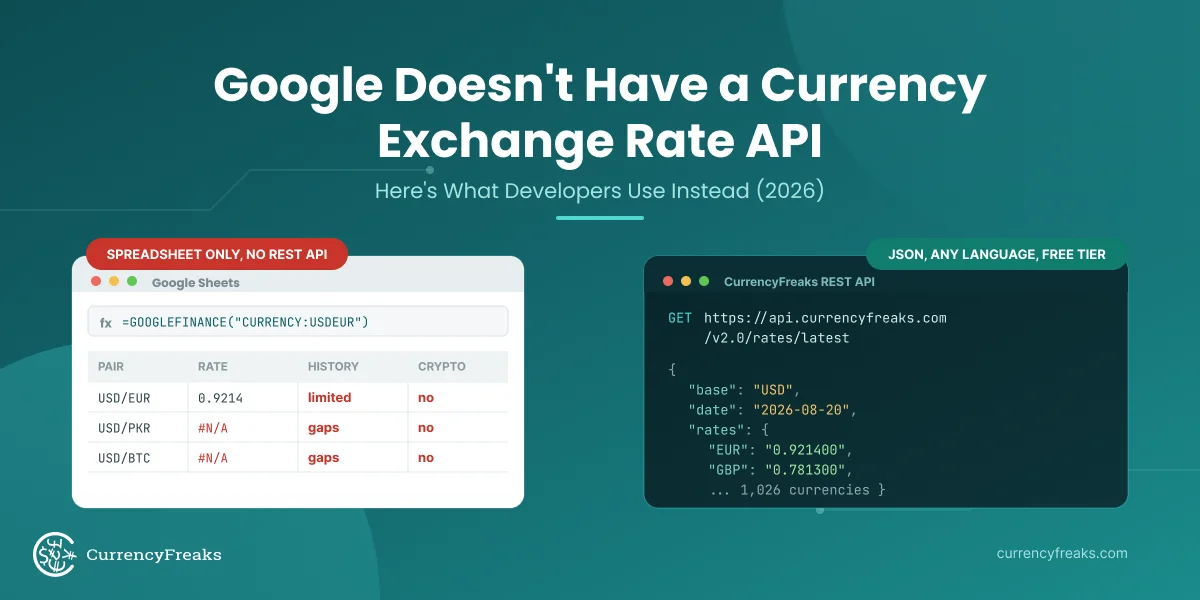
PHP has no built-in source of live exchange rates, so any PHP code that prices products, totals invoices, or takes payments in more than one currency needs a currency API. This tutorial uses the CurrencyFreaks exchange rate API in PHP two ways. First in plain PHP, with cURL or file_get_contents and no framework. Then as a full Laravel integration with a service class, caching, Blade views, and a scheduled Artisan command.
If all you need is a currency API PHP snippet for a script, a cron job, or a legacy app, the plain PHP section is enough. Laravel developers can skip ahead to Step 1.
Quick answer: Send a GET request to https://api.currencyfreaks.com/v2.0/rates/latest?apikey=YOUR_API_KEY and decode the JSON. In plain PHP that is cURL or file_get_contents plus json_decode. In Laravel, wrap the call in a service class built on the Http facade and cache the response. The free plan covers real-time latest rates for 1000+ currencies with 1,000 API calls per month and no credit card.
The shortest working version, in plain PHP:
<?php

$json  = file_get_contents('https://api.currencyfreaks.com/v2.0/rates/latest?apikey=YOUR_API_KEY&symbols=EUR,GBP,JPY,CAD');
$rates = json_decode($json, true)['rates'] ?? [];
// ['EUR' => '0.9201', 'GBP' => '0.7854', 'JPY' => '148.23', 'CAD' => '1.3612']
By the end of this guide you will have:
- A plain PHP function with timeouts, error handling, and a file cache
- A Laravel service class that fetches live rates from the CurrencyFreaks API
- A controller that exposes those rates to your views
- A Blade template that displays them cleanly
- Laravel Cache integration to avoid redundant API calls
- An Artisan command with scheduled execution to store rates in your database
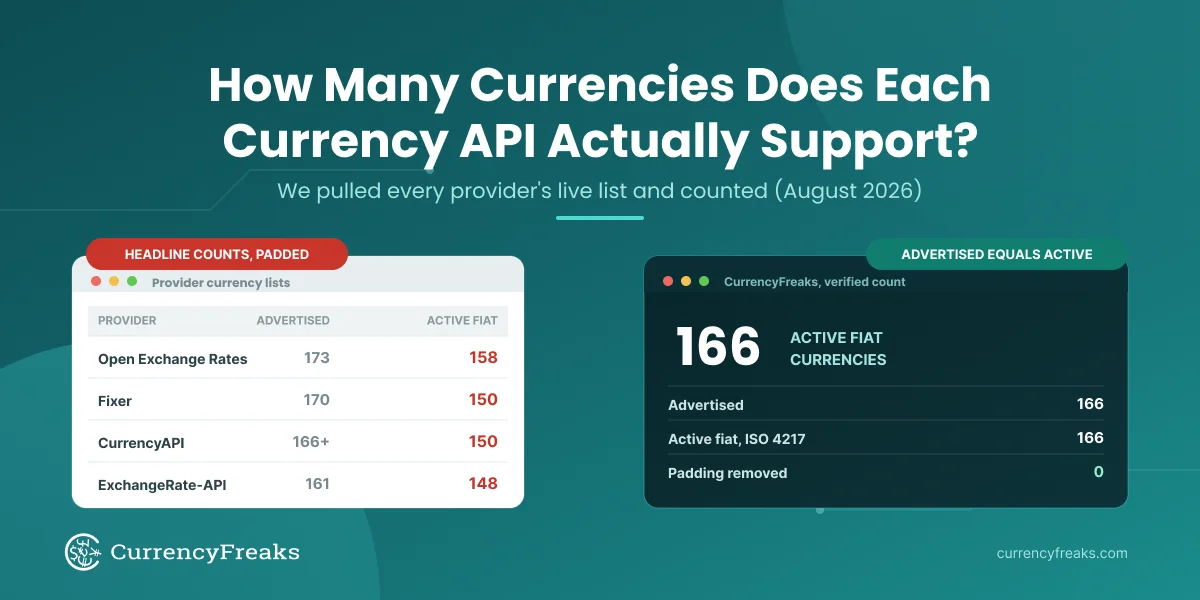
CurrencyFreaks covers 1000+ currencies (166 fiat, 4 metals, and 870 cryptocurrencies) with a free plan that includes 1,000 API calls per month and no credit card. The same API key works across all the code in this tutorial.
What You Can Build on the Free Plan vs a Paid Plan
A quick map before you write code, because two features in this tutorial are paid-only and it is better to know up front:
| Feature used in this guide | Free plan | Paid plan |
|---|---|---|
Latest rates (/rates/latest) |
Yes | Yes |
Filter currencies with symbols |
Yes | Yes |
| USD base currency | Yes | Yes |
Custom base currency (the base parameter) |
No | Yes |
Historical rates (/rates/historical) |
No | Yes |
| Higher update frequency and call volume | No | Yes |
The plain PHP section and Steps 1 through 8 all run on the free plan. The historical endpoint and custom base currency are flagged where they appear, and both return HTTP 402 if you call them on the free plan.
Exchange Rate API PHP Example: cURL and file_get_contents
No framework and no Composer packages. Both versions below call the same /rates/latest endpoint and get back the same JSON, so pick whichever your server supports. Some shared hosts set allow_url_fopen = Off, which breaks file_get_contents on URLs. If you don't control php.ini, use cURL.
Requirements: PHP 7.4 or newer, the curl extension (or allow_url_fopen enabled), and a free CurrencyFreaks API key. The examples read the key from an environment variable named CURRENCYFREAKS_API_KEY so it stays out of your source files.
Option 1: cURL
<?php

function getLatestRates(string $apiKey, array $symbols = []): ?array
{
    $query = ['apikey' => $apiKey];

    if ($symbols) {
        $query['symbols'] = implode(',', $symbols);
    }

    $url = 'https://api.currencyfreaks.com/v2.0/rates/latest?' . http_build_query($query);

    $ch = curl_init($url);
    curl_setopt_array($ch, [
        CURLOPT_RETURNTRANSFER => true,
        CURLOPT_CONNECTTIMEOUT => 5,
        CURLOPT_TIMEOUT        => 10,
    ]);

    $body   = curl_exec($ch);
    $status = curl_getinfo($ch, CURLINFO_HTTP_CODE);
    $error  = curl_error($ch);

    if ($body === false || $status >= 400) {
        error_log("CurrencyFreaks request failed: HTTP {$status} {$error} {$body}");
        return null;
    }

    return json_decode($body, true);
}

$data = getLatestRates(getenv('CURRENCYFREAKS_API_KEY'), ['EUR', 'GBP', 'JPY']);

if ($data) {
    echo "1 USD = {$data['rates']['EUR']} EUR\n";
}
The two timeouts matter more than they look. cURL's default CURLOPT_TIMEOUT is 0, which means wait forever, so a slow network can hold a PHP-FPM worker until the request hits max_execution_time. On failure, the response body carries the reason under error.info, and the function logs it.
Option 2: file_get_contents
<?php

$url = 'https://api.currencyfreaks.com/v2.0/rates/latest?' . http_build_query([
    'apikey'  => getenv('CURRENCYFREAKS_API_KEY'),
    'symbols' => 'EUR,GBP,JPY',
]);

$context = stream_context_create([
    'http' => ['timeout' => 10, 'ignore_errors' => true],
]);

$body = file_get_contents($url, false, $context);
$data = $body !== false ? json_decode($body, true) : null;

if (isset($data['rates'])) {
    print_r($data['rates']);
} else {
    error_log('CurrencyFreaks error: ' . ($data['error']['info'] ?? 'no response'));
}
Without ignore_errors, file_get_contents returns false on any 4xx response and throws away the body, so you'd never see why the call failed. With it, you get the JSON error message and can log it.
Both options return the same structure. Rates come back as strings, so cast them with (float) before doing math:
{
  "date": "2026-09-30 00:00:00+00",
  "base": "USD",
  "rates": {
    "EUR": "0.9201",
    "GBP": "0.7854",
    "JPY": "148.23"
  }
}
Convert Amounts and Cache Rates in Plain PHP
On the free plan every rate is quoted against USD. To convert between two non-USD currencies, go through USD: divide by the source rate, multiply by the target rate.
<?php

function convert(float $amount, string $from, string $to, array $rates): ?float
{
    $rates['USD'] = $rates['USD'] ?? '1';

    if (empty($rates[$from]) || empty($rates[$to])) {
        return null;
    }

    return $amount / (float) $rates[$from] * (float) $rates[$to];
}
Calling the API on every page load would burn through 1,000 requests in an afternoon on a site with any traffic. A small file cache fixes that, and it falls back to the last saved rates if the API is unreachable:
<?php

function getCachedRates(string $apiKey, int $ttl = 3600): ?array
{
    $file = sys_get_temp_dir() . '/currencyfreaks_rates.json';

    if (is_file($file) && time() - filemtime($file) < $ttl) {
        return json_decode(file_get_contents($file), true);
    }

    $data = getLatestRates($apiKey);

    if ($data) {
        file_put_contents($file, json_encode($data), LOCK_EX);
        return $data;
    }

    // API down: serve stale rates rather than nothing.
    return is_file($file) ? json_decode(file_get_contents($file), true) : null;
}

$data = getCachedRates(getenv('CURRENCYFREAKS_API_KEY'));
$eur  = $data ? convert(49.99, 'GBP', 'EUR', $data['rates']) : null;
getCachedRates() fetches every currency in one call (no symbols filter), so a single cached response serves any pair. With a one-hour TTL that is at most 744 calls in a 31-day month, under the free plan's 1,000.
That is the whole integration in plain PHP. The rest of this tutorial builds the same thing the Laravel way: the Http facade replaces cURL, Laravel Cache replaces the temp file, and a scheduled Artisan command stores daily rates in your database.
Laravel Prerequisites
- Laravel 10 or 11
- PHP 8.1+
- Composer
- A free CurrencyFreaks API key (sign up here)
Step 1: Install Guzzle HTTP Client
Laravel ships with Guzzle support built in via the HTTP facade, so no separate installation is needed in Laravel 9+. If you are on an older version, install Guzzle directly:
composer require guzzlehttp/guzzle
For Laravel 9 and above, the Illuminate\Support\Facades\Http facade wraps Guzzle and is the recommended approach. All examples in this tutorial use the Http facade.
Step 2: Store Your API Key
Add your CurrencyFreaks API key to your .env file:
CURRENCYFREAKS_API_KEY=YOUR_API_KEY
Then register it in config/services.php:
'currencyfreaks' => [
    'key' => env('CURRENCYFREAKS_API_KEY'),
    'base_url' => 'https://api.currencyfreaks.com/v2.0',
],
Never hard-code your API key in controller or service files. Using the config system keeps your key out of version control, and it lets you rotate the key without touching application code.
Step 3: Create a CurrencyFreaks Service Class
Rather than calling the API directly from a controller, encapsulate the integration in a dedicated service class. This keeps your controllers thin and makes the service easy to test and reuse.
Create the file at app/Services/CurrencyFreaksService.php:
<?php

namespace App\Services;

use Illuminate\Support\Facades\Http;
use Illuminate\Support\Facades\Cache;
use Illuminate\Support\Facades\Log;

class CurrencyFreaksService
{
    protected string $apiKey;
    protected string $baseUrl;

    public function __construct()
    {
        $this->apiKey  = config('services.currencyfreaks.key');
        $this->baseUrl = config('services.currencyfreaks.base_url');
    }

    /**
     * Fetch latest exchange rates, with a 60-minute cache.
     *
     * Free plan: leave $base as 'USD'. The base parameter is a paid
     * feature, so this method only sends it when you request a non-USD base.
     *
     * @param  string  $base     Base currency (USD on the free plan)
     * @param  array   $symbols  Currencies to return, e.g. ['EUR','GBP','JPY']
     * @return array|null
     */
    public function getLatestRates(string $base = 'USD', array $symbols = []): ?array
    {
        $cacheKey = 'cf_rates_' . $base . '_' . implode('_', $symbols);

        return Cache::remember($cacheKey, now()->addMinutes(60), function () use ($base, $symbols) {
            $params = ['apikey' => $this->apiKey];

            if (!empty($symbols)) {
                $params['symbols'] = implode(',', $symbols);
            }

            // The base parameter is a paid feature. On the free plan USD is the
            // default, so we omit base entirely to avoid an HTTP 402 response.
            if (strtoupper($base) !== 'USD') {
                $params['base'] = strtoupper($base);
            }

            $response = Http::timeout(10)->get("{$this->baseUrl}/rates/latest", $params);

            if ($response->failed()) {
                Log::error('CurrencyFreaks API error', [
                    'status' => $response->status(),
                    'body'   => $response->body(),
                ]);
                return null;
            }

            return $response->json();
        });
    }

    /**
     * Fetch historical rates for a given date.
     *
     * PAID PLANS ONLY. The /rates/historical endpoint is not available on the
     * free plan and returns HTTP 402 there. Use this only on a paid plan.
     *
     * @param  string  $date     Format: YYYY-MM-DD
     * @param  string  $base     Base currency (paid feature when not USD)
     * @param  array   $symbols  Currencies to return
     * @return array|null
     */
    public function getHistoricalRates(string $date, string $base = 'USD', array $symbols = []): ?array
    {
        $cacheKey = "cf_historical_{$date}_{$base}_" . implode('_', $symbols);

        return Cache::remember($cacheKey, now()->addHours(24), function () use ($date, $base, $symbols) {
            $params = [
                'apikey' => $this->apiKey,
                'date'   => $date,
            ];

            if (!empty($symbols)) {
                $params['symbols'] = implode(',', $symbols);
            }

            if (strtoupper($base) !== 'USD') {
                $params['base'] = strtoupper($base);
            }

            $response = Http::timeout(10)->get("{$this->baseUrl}/rates/historical", $params);

            if ($response->failed()) {
                Log::error('CurrencyFreaks historical API error', [
                    'date'   => $date,
                    'status' => $response->status(),
                    'body'   => $response->body(),
                ]);
                return null;
            }

            return $response->json();
        });
    }
}
Four details in this service matter:
Caching: Latest rates are cached for 60 minutes using Laravel's Cache facade. If 1,000 users load your pricing page in an hour, you make one API call instead of 1,000. On the free plan (1,000 calls per month), this matters. Historical rates are cached for 24 hours, since a past date never changes.
The symbols parameter: Passing only the currencies you need (for example ['EUR', 'GBP', 'JPY']) reduces response size and keeps things fast. To get all 1000+ currencies, omit the symbols parameter. The symbols filter is available on every plan, including the free one.
The base parameter: Changing the base currency is a paid feature. The service omits base whenever it is USD, so free-plan requests work without triggering an HTTP 402. Pass a non-USD base only on a paid plan.
Error handling: Failed requests are logged and return null rather than throwing exceptions. The CurrencyFreaks API returns error details as a JSON object under error.info, which is captured here in the logged response body. Handle the null case in your controller.
Step 4: Register the Service
Bind the service in app/Providers/AppServiceProvider.php so Laravel's container can inject it:
use App\Services\CurrencyFreaksService;

public function register(): void
{
    $this->app->singleton(CurrencyFreaksService::class, function () {
        return new CurrencyFreaksService();
    });
}
Step 5: Create a Controller
Generate a controller:
php artisan make:controller CurrencyRateController
Then fill it in at app/Http/Controllers/CurrencyRateController.php:
<?php

namespace App\Http\Controllers;

use App\Services\CurrencyFreaksService;

class CurrencyRateController extends Controller
{
    public function __construct(
        protected CurrencyFreaksService $currencyService
    ) {}

    public function index()
    {
        // USD base keeps this on the free plan.
        $data = $this->currencyService->getLatestRates(
            base: 'USD',
            symbols: ['EUR', 'GBP', 'JPY', 'CAD', 'AUD', 'CHF', 'SGD', 'INR']
        );

        if (!$data) {
            return view('currency.index', ['rates' => [], 'error' => 'Unable to fetch rates. Please try again.']);
        }

        return view('currency.index', [
            'rates'     => $data['rates'] ?? [],
            'base'      => $data['base'] ?? 'USD',
            'updatedAt' => $data['date'] ?? now()->toDateTimeString(),
            'error'     => null,
        ]);
    }
}
Add the route in routes/web.php:
use App\Http\Controllers\CurrencyRateController;

Route::get('/rates', [CurrencyRateController::class, 'index'])->name('rates.index');
Step 6: Create the Blade Template
Create resources/views/currency/index.blade.php:
@extends('layouts.app')
@section('title', 'Live Exchange Rates')
@section('content')
<div class="container mx-auto px-4 py-8">
<h1 class="text-2xl font-bold mb-2">Live Exchange Rates</h1>
@if($error)
<div class="bg-red-100 text-red-700 p-4 rounded mb-6">
{{ $error }}
</div>
@else
<p class="text-gray-500 text-sm mb-6">
Base currency: <strong>{{ $base }}</strong> |
Last updated: <strong>{{ $updatedAt }}</strong>
</p>
<table class="w-full border-collapse text-left">
<thead>
<tr class="bg-gray-100">
<th class="p-3 border">Currency</th>
<th class="p-3 border">Rate (vs {{ $base }})</th>
</tr>
</thead>
<tbody>
@forelse($rates as $currency => $rate)
<tr class="hover:bg-gray-50">
<td class="p-3 border font-medium">{{ $currency }}</td>
<td class="p-3 border">{{ number_format((float)$rate, 4) }}</td>
</tr>
@empty
<tr>
<td colspan="2" class="p-3 border text-gray-400">No rates available.</td>
</tr>
@endforelse
</tbody>
</table>
@endif
</div>
@endsection
Step 7: Store Exchange Rate API Data in a Laravel Database
For applications that need their own rate history without calling the API on every request, store the latest rates in your database on a schedule. Run this once a day and you build up a clean history over time, all on the free plan, because it uses the latest-rates endpoint rather than the paid historical one.
First, create the migration:
php artisan make:migration create_exchange_rates_table
// database/migrations/xxxx_create_exchange_rates_table.php

public function up(): void
{
    Schema::create('exchange_rates', function (Blueprint $table) {
        $table->id();
        $table->string('base_currency', 3);
        $table->string('target_currency', 3);
        $table->decimal('rate', 20, 8);
        $table->date('rate_date');
        $table->timestamps();

        $table->unique(['base_currency', 'target_currency', 'rate_date']);
    });
}
php artisan migrate
Next, create the Eloquent model the command will write to:
php artisan make:model ExchangeRate
<?php
// app/Models/ExchangeRate.php

namespace App\Models;

use Illuminate\Database\Eloquent\Model;

class ExchangeRate extends Model
{
    protected $fillable = [
        'base_currency',
        'target_currency',
        'rate',
        'rate_date',
    ];
}
Now create the Artisan command:
php artisan make:command FetchExchangeRates
<?php

namespace App\Console\Commands;

use App\Services\CurrencyFreaksService;
use App\Models\ExchangeRate;
use Illuminate\Console\Command;
use Carbon\Carbon;

class FetchExchangeRates extends Command
{
    protected $signature   = 'rates:fetch';
    protected $description = 'Fetch the latest exchange rates from CurrencyFreaks and store them in the database';

    public function handle(CurrencyFreaksService $service): int
    {
        $today = Carbon::today()->toDateString();

        $this->info("Fetching latest rates for {$today}...");

        // Latest rates keep this on the free plan. USD base, no base parameter sent.
        $data = $service->getLatestRates('USD', ['EUR', 'GBP', 'JPY', 'CAD', 'AUD', 'SGD', 'INR', 'CHF']);

        if (!$data || empty($data['rates'])) {
            $this->error('Failed to fetch rates.');
            return self::FAILURE;
        }

        $base = $data['base'] ?? 'USD';

        foreach ($data['rates'] as $currency => $rate) {
            ExchangeRate::updateOrCreate(
                [
                    'base_currency'   => $base,
                    'target_currency' => $currency,
                    'rate_date'       => $today,
                ],
                ['rate' => $rate]
            );
        }

        $this->info('Rates stored successfully: ' . count($data['rates']) . ' currencies.');
        return self::SUCCESS;
    }
}
Run it manually:
php artisan rates:fetch
Backfilling past dates (paid plans): This command stores rates going forward. If you need historical rates for dates before you started collecting, use the
getHistoricalRates()method shown in Step 3, which calls the/rates/historicalendpoint. That endpoint is available on paid plans only. See pricing for details.
Step 8: Schedule the Command
Register the schedule in app/Console/Kernel.php (Laravel 10) or routes/console.php (Laravel 11):
Laravel 10, in app/Console/Kernel.php:
protected function schedule(Schedule $schedule): void
{
    // Store the latest rates once a day to build your own history.
    $schedule->command('rates:fetch')->dailyAt('00:05');
}
Laravel 11, in routes/console.php:
use Illuminate\Support\Facades\Schedule;

Schedule::command('rates:fetch')->dailyAt('00:05');
Make sure your server's cron is running the Laravel scheduler:
* * * * * cd /path-to-your-project && php artisan schedule:run >> /dev/null 2>&1
A daily run uses about 30 API calls per month, well within the free plan's 1,000. If you need rates more often, the cache in Step 3 already protects your live pages, so you rarely need to schedule more frequently than hourly.
Building Multi-Currency Support in Laravel
Once live rates are available through the service class, you can add a price-conversion helper that any controller, job, or Blade component can call without duplicating API logic.
Add a convert method to CurrencyFreaksService:
/**
 * Convert an amount between two currencies at the latest rate.
 * Both $from and $to must appear in the symbols you pass.
 * Runs on the free plan - uses a USD base internally.
 */
public function convert(float $amount, string $from, string $to): ?float
{
    $data = $this->getLatestRates('USD', [$from, $to]);

    if (!$data || empty($data['rates'][$from]) || empty($data['rates'][$to])) {
        return null;
    }

    // CurrencyFreaks rates are USD-based strings - cast before arithmetic.
    $fromRate = (float) $data['rates'][$from];
    $toRate   = (float) $data['rates'][$to];

    if ($fromRate === 0.0) {
        return null;
    }

    // amount ÷ fromRate gives USD equivalent, then × toRate gives target.
    return ($amount / $fromRate) * $toRate;
}
Use it anywhere in your application - the 60-minute cache in getLatestRates() means the underlying API call happens at most once per hour regardless of how many conversions you run:
$service = app(CurrencyFreaksService::class);

$priceInGBP = 100.00;
$priceInEUR = $service->convert($priceInGBP, 'GBP', 'EUR');

if ($priceInEUR !== null) {
    echo number_format($priceInEUR, 2) . ' EUR';
}
This is the foundation for multi-currency checkout, invoice totalling, and subscription billing in Laravel.
Handling API Errors in Production
CurrencyFreaks returns HTTP 200 on success. On failure it returns a 4xx code with an error message in the response body under error.info. These are the codes you are most likely to encounter in a Laravel integration, taken from the CurrencyFreaks documentation:
| HTTP Status | Meaning | What to do |
|---|---|---|
| 400 | Missing API key, invalid parameters, or invalid date format | Check that your key is set and your symbols, base, and date values are valid |
| 401 | API key is invalid or inactive | Verify the key in your .env, or check your account status |
| 402 | The feature requires a higher plan (custom base currency or historical rates) | Stay on USD and latest rates, or upgrade your plan |
| 404 | Rates for the requested date or currency are not in the database | Check coverage with the historical-data-limits endpoint, or pick a supported date |
| 429 | You have exceeded your plan's monthly request limit | Increase your cache TTL, reduce calls, or upgrade your plan |
| 206 | Partial response (some requested currencies returned) | Handle the rates that did return, and log the gap |
The single most common surprise on the free plan is 402. It means you asked for a paid feature. In this tutorial that happens only if you send a non-USD base or call the historical endpoint, both of which are clearly marked above. The service class already logs failed responses. For production, add a fallback: if a live call fails and the cache is empty, serve the last known rates from your exchange_rates table rather than showing an error to users.
Using the Same API in WordPress or WooCommerce
Running a WordPress or WooCommerce store alongside your Laravel app? The same CurrencyFreaks API works there using wp_remote_get(), with the same endpoint, key, and response structure. Only the HTTP library differs. See the dedicated WordPress currency converter guide for the full walkthrough.
Conclusion
You now have two working integrations. In plain PHP, a cURL or file_get_contents call plus a file cache covers scripts, cron jobs, and apps without a framework. In Laravel, the service class fetches and caches live rates, the controller passes them to a Blade view, and the Artisan command builds your own rate history on a daily schedule.
The free plan covers real-time latest rates for 1000+ currencies, which is enough to get a PHP or Laravel application into production with no upfront cost. When you need a custom base currency, historical rates, higher call volume, or faster updates, those sit on the paid plans. If you prefer to start in another language first, the Python currency converter API guide covers the same endpoints.
Other language guides
- Django: cache rates, expose them through DRF, refresh with Celery
- Node.js: an Express converter with Axios
- Python: live rates and conversion with
requests - Ruby on Rails: HTTParty, a service object, Rails caching and background jobs
FAQs
How do I use a currency API in PHP without Laravel?
Call https://api.currencyfreaks.com/v2.0/rates/latest with your API key using cURL or file_get_contents, then pass the body to json_decode($body, true). Set a timeout, check the HTTP status, and cache the result so you don't spend an API call on every page load. The plain PHP section above has a ready-to-copy function for each step.
Is there a free exchange rate API for Laravel?
Yes. CurrencyFreaks offers a free exchange rate API for Laravel with 1,000 API calls per month, real-time USD-based rates, and a JSON response that integrates directly with the Laravel Http facade. No credit card is required for the free Developer plan, and the full integration covered in this tutorial runs on it end to end.
How do I get currency rates in Laravel?
The recommended approach is to create a service class that fetches rates from the CurrencyFreaks /v2.0/rates/latest endpoint and caches the response with Laravel's Cache facade. Inject the service into your controllers or Artisan commands wherever you need rates. Steps 3 through 5 in this guide show the full implementation.
Does CurrencyFreaks work with Laravel 11?
Yes. The Http facade and Cache facade used in this tutorial are available in Laravel 8 through Laravel 11 with no changes to the code. The scheduling syntax is the only difference: Laravel 10 uses app/Console/Kernel.php, and Laravel 11 uses routes/console.php.
Can I fetch historical exchange rates on the free plan?
No. The historical rates endpoint (/rates/historical) is available on paid plans only and returns HTTP 402 on the free plan. The free plan covers real-time latest rates. To build history without a paid plan, store the latest rates daily with the Artisan command in Step 7.
Can I change the base currency from USD?
On the free plan, leave the base as USD, which is the default, and do not send the base parameter. Changing the base currency is a paid feature, and sending a non-USD base on the free plan returns HTTP 402. The service in this guide omits the parameter automatically when the base is USD.
How do I avoid hitting the rate limit on the free plan?
The 60-minute cache in the service class means you make at most 24 API calls per day per currency combination, well within the 1,000 per month free limit. For higher traffic, increase the cache TTL, or use the daily Artisan command to read from your own database instead of the API.
What does the API response look like?
Every response includes a base, a date, and a rates object where each key is a currency code and each value is the exchange rate as a string. Cast the value with (float)$rate in PHP before formatting or calculating.
Get a free CurrencyFreaks API key and add live exchange rates to your PHP or Laravel app.